The Journal of Financial Service Professionals (JFSP) gives readers seamless, on-the-go access to high-impact content and cutting-edge insights that empower financial professionals to better serve their clients. Optimized for any mobile device, the platform features over 10 years of fully searchable archives and instant access to linked content, putting the world of financial services at your digital fingertips. JFSP is available to all NAIFA members as well as non-member subscribers, making it easier than ever to stay informed anytime, anywhere
To access JFSP from your laptop, please follow these instructions:
1
Logging In:
Go to the NAIFA homepage at https://belong.naifa.org/. Under the “Education” tab, click on “Journal of Financial Service Professionals.”

2
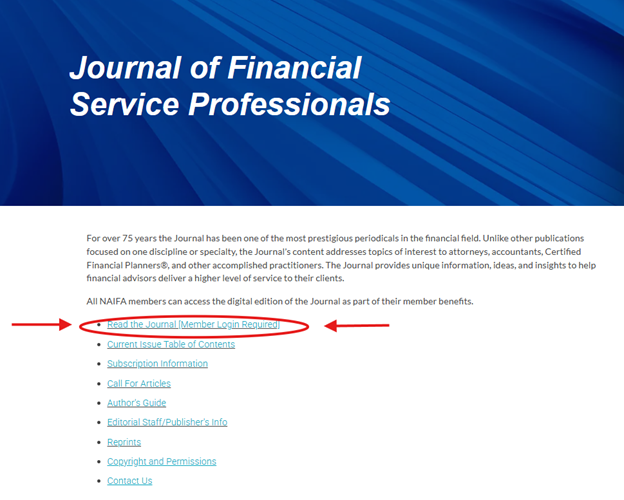
This takes you to the Journal’s Overview page at https://belong.naifa.org/journal. From there, click on “Read the Journal [Member Login Required].”
3
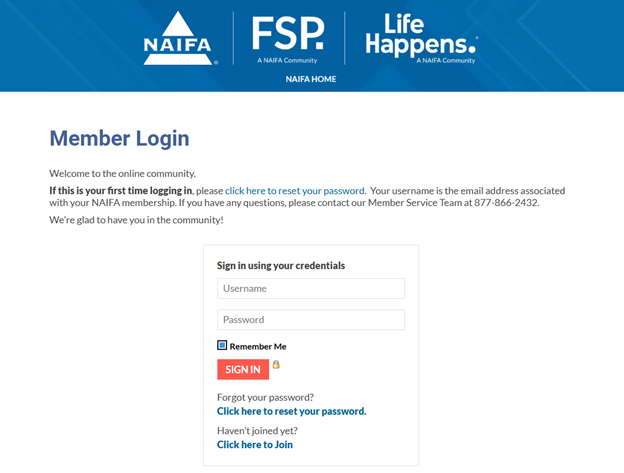
You will be taken to a login page that will prompt you to type in the email address and password associated with your NAIFA membership account. If you forgot your password, please select the phrase “Click here to reset your password.” If you still cannot access your account, please reach out to our Member Services Team at 877-866-2432.
4
Once you have logged in, you will be taken to the JFSP Digital main webpage. You will easily be able to access the most recent issue of JFSP as well as comb through over a decade’s worth of archived issues. However, should you wish to find an article from before 2014, please reach out to managing editor Marielena Morgan at mmorgan@naifa.org.

5
Navigating the Journal:
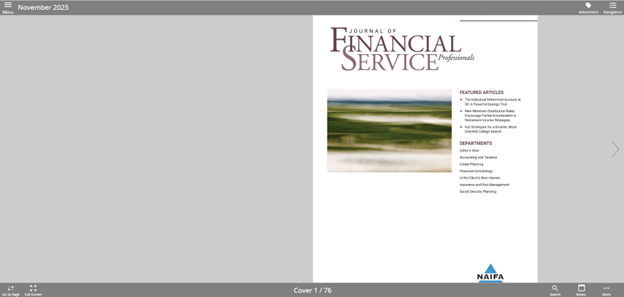
If you are accessing for the first time, the platform will walk you through specific instructions on how to navigate the Page View, which we strongly recommend all digital readers follow. Some important areas to note are:
- Navigation: Located at the top right of the screen, this icon allows readers to quickly access articles and columns within the selected issue.
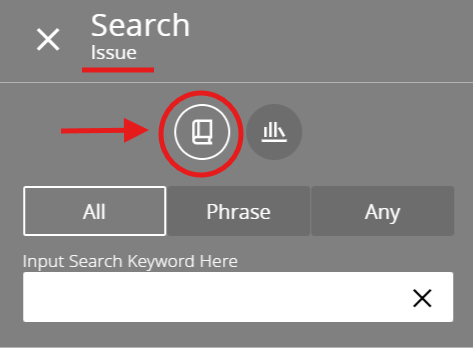
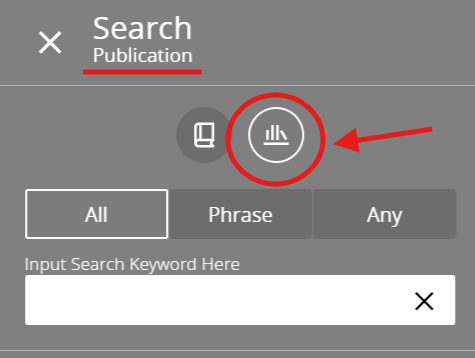
- Search: Indicated by the magnifying glass icon at the bottom right of the screen, this tool allows readers to search keywords, phrases, or authors not only within the selected issue, but also within the entire archives. To look through the current issue, simply select the book icon; if you wish to search through the archives, click on the stack of books icon.
- More: The three dots at the bottom right of the page give readers even more options in tailoring their digital reading experience, including language selections, a notes section, and a help function should any complications arise.
- Menu: At the far left of the homepage is the menu, which, if selected, allows you to switch between Page and Contents view, scroll through the JFSP archives, and access the NAIFA, Advisor Today, and Life Happens websites directly.
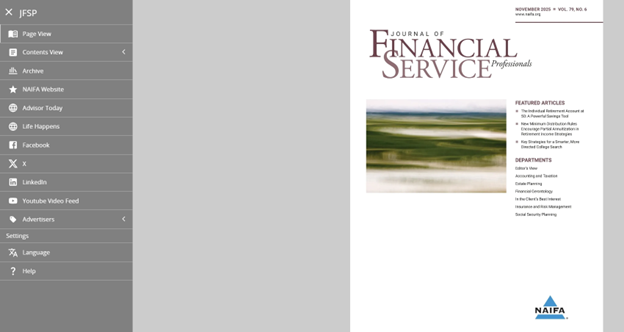
JFSP’s user-friendly interface also gives readers the opportunity to customize their viewing experience. Should you wish to view the articles and columns themselves, rather than view in page format, you can select “Contents View” in the main menu.
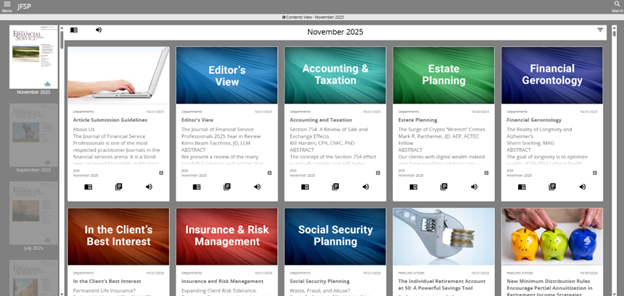
From there, you can select the specific column or article you wish to read; or, if you would like to listen to the material instead, simply click on the speaker icon in the corresponding article or column.
For any further questions or information,
please contact info@naifa.org or call 877-866-2432.